
KNX5100C configuration software is available for download at the Product
Compatibility Download Center (PCDC) website:
https://compatibility.rockwellautomation.com/Pages/home.aspx
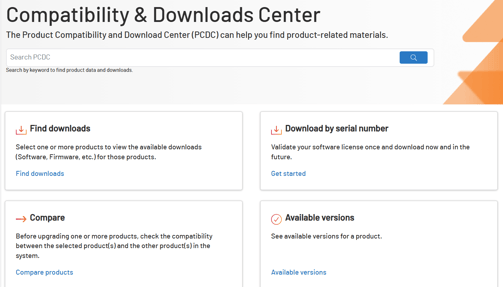
Search Kinetix 5100 in the search bar labeled "Search PCDC". Select the downloads for the Kinetix 5100. You should get to a webpage that looks similar to the one below: 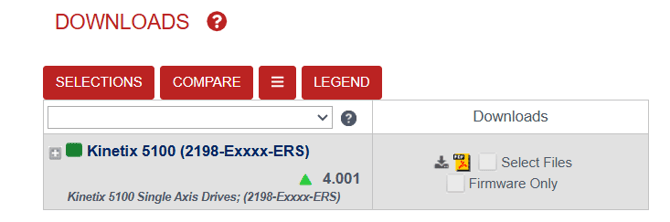
Click on "Select Files". Then select the "Software for the Kinetix 5100" under tools.
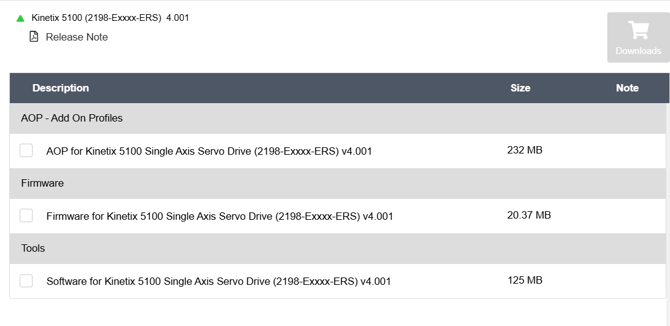
Follow the instructions to complete the download. Then navigate to the .exe shown below to install the software.

How to download and install AOI's for Ethernet motion control
Note: You must have a CompactLogix PLC to use these add-on instructions. Additionally, if you are using a firmware version 1.00 legacy servo drive, the AOIs have since been modernized and will not work with your servo drive. Please consult the K5100 User Manual to find the legacy AOIs.
First, Navigate back to the PCDC. This time, enter "Power Device Library" in the Search PCDC
window. Make sure to download the latest version.
Once you have those installed the AOI's on your computer, open Studio 5000. Click on the File menu, click Import Component>Add-On Instruction to import Add-On Instruction Files: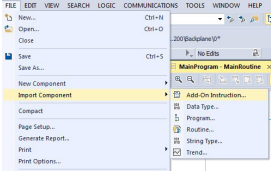
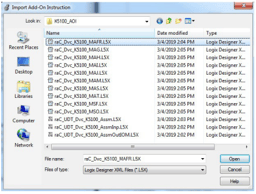
Your Add-On Instruction files appear in the Controller Organizer under the
Add-On Instructions folder.