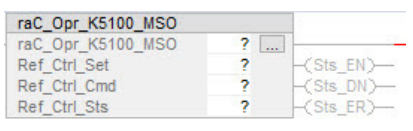
To control your Kinetix 5100 over ethernet, first you must set the drive to IO mode in KNX5100C. Additionally, it is critical to determine the Kinetix Firmware Revision of your Kinetix drive. Version 1.xx drives will use a different set of Add On Instructions (AOI's) than version 2.xx drives. For help downloading and importing AIO's and downloading the Kinetix 5100 control software, KNX5100C, please consult our Kinetix 5100 download guide.
Version 1.xx drives will use the raC_Dvc AIO Library. Version 2.xx will use the raC_Opr library. Both can be found on the Rockwell PCDC. Version 1.xx under the Kinetix 5100 download, version 2.xx is bundled into the Power Device Library. Please follow the appropriate instructions for your drive revision below.

-
Version 1.xx Programing:
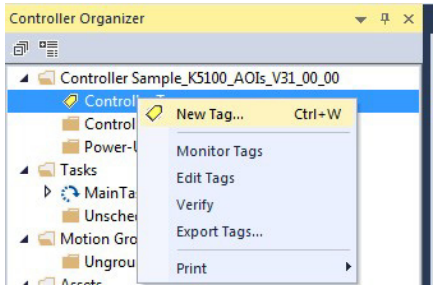
In the Controller Organizer, right-click Controller Tags and click New Tag.
In the Data Type field, click Browse and choose an Add-On Instruction
(for example, raC_Dvc_K5100_MAS).
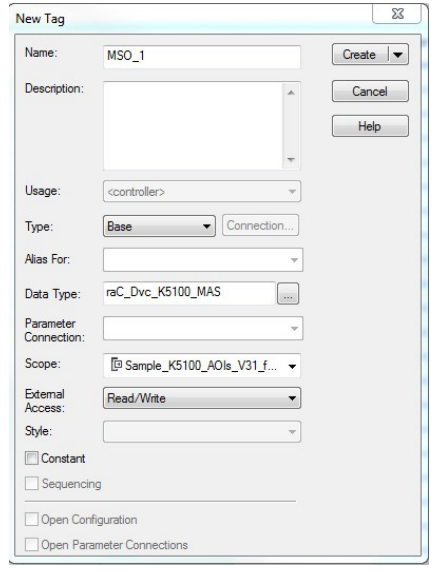
Click OK. Then the Add-On Instruction tag that you created, with the module-defined
data types, populates in the Controller Tags group: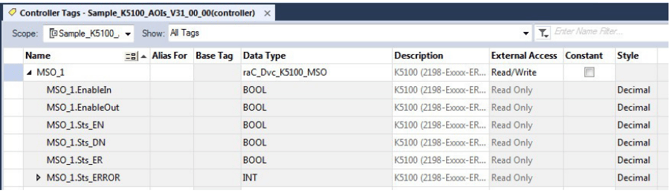
To use this Kinetix 5100 drive Add-On Instruction, you must create a reference tag to reference the appropriate 5100 Device Object. This tag type is raC_UDT_Dvc_K5100_Assm. Follow these steps to
create a Ref_Axis tag. Create a new controller tag and browse for "raC_UDT_Dvc_K5100_Assm" and name it something like "K5100_Axis"
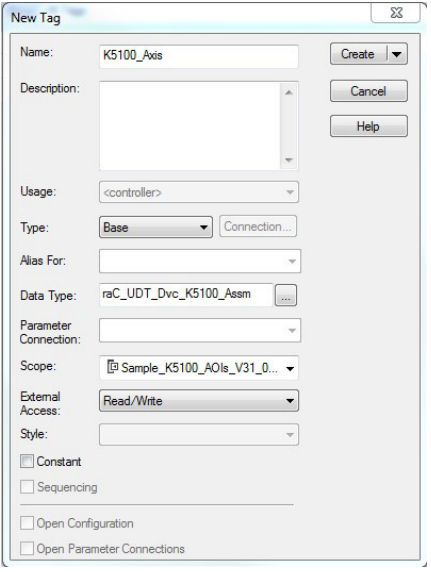
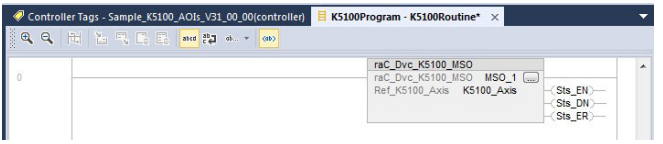
Click OK, then use the AOI for your desired motion instruction. Assign the Motion tag to the rac_DVC tag. Then assign the Reference axis to the reference axis tag you created.
2. Version 2.xx Programing:
Kinetix 5100 Drive Device Object Add-On Instruction
This Add-On Instruction provides a single software interface that is used by each
drive that commands the drive and provides the drive status you can use with
your application logic. Each Kinetix 5100 drive requires a unique instance of the Device Object Add-On Instruction, and they must be placed in a frequently scanned routine.
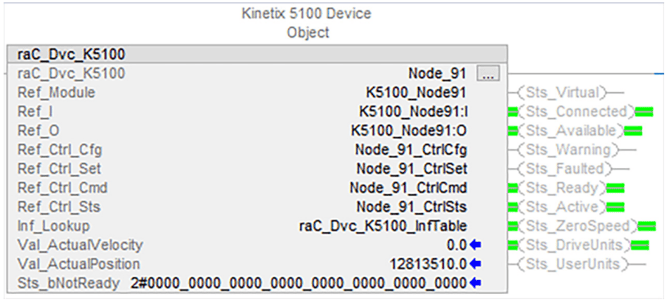
When the Device Object Add-On Instruction is created, it references Data
Types that interface with the drive to exchange command and status
information. You must create each Device Object Add-On Instruction as a
unique instance. This Add-On Instruction works together with a commonly developed faceplate
created with the Studio 5000 View Designer application. Each Kinetix 5100
drive requires a unique instance of the Device Object Add-On Instruction.
Version 2.xx involves creating UDT tags in the Device Object AIO to tie into your motion instructions. These are listed below highlighted in red. Create a unique Ref_Ctrl tag for all of the Ref_Ctrl tags in the Device Object AIO.
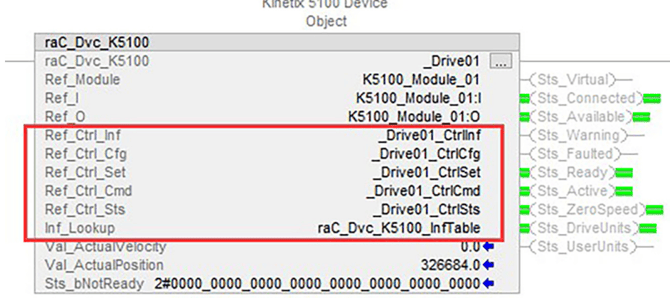
These tie into the Opr Motion instructions from the power device library. Follow the steps in version 1 to create a Opr motion instruction tag but now use the Ref_Ctrl tags you created in the Device Object in this motion instruction.